
HubbuyCN Spreadsheet · buying guide
HubbuyCN Spreadsheet: find the item, then check the details.
Browse product links and prepare a considered first order. The guide connects discovery, seller options, warehouse checks and international shipping.
Start with the kind of item you need
Browse a category, then check the actual seller listing and selected size, colour and quantity.
 SneakersAsk for the insole length in centimetres. Confirm the sizing convention for this listing.Category
 Jackets & CoatsShell jackets photograph identically. Compare the exact model and garment measurements.Category
 HoodiesLook for the fabric weight in grams. It is the number that separates a winter hoodie from a summer one.Category
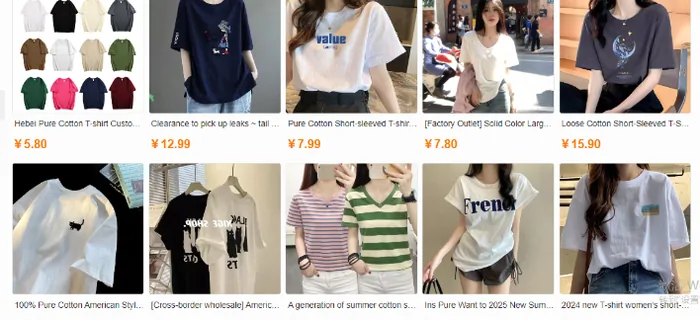
 T-ShirtsCheck whether the listing is one shirt or a multipack. Both are common and both look identical in a photo.Category
 JeansWaist figures are flat measurements in centimetres. Double them before you panic.Category
 SweatpantsInseam is the number to read. Compare it with trousers that fit you.Category
 WomenswearThere is no womenswear category to open, so this tile runs a keyword search instead. Read the results as matches, not as a curated aisle.Search results
 JerseysCheck which season and which sponsor set. Sellers leave last year photos up long after the kit changes.Category
A product directory and a shopping agent do different jobs.
What is the HubbuyCN Spreadsheet?
A category directory helps you find a seller link and compare related products. It gives your search a starting point; the live listing decides stock, specifications and price.
What is HubbuyCN?
The shopping agent arranges purchases from Chinese sellers, warehouse receipt, inspection and international dispatch. The operator has directed new services to HUBBUY; check the migration notice before paying.
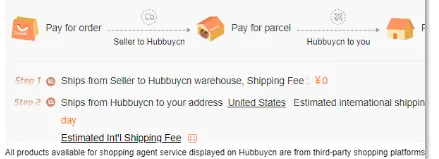
Know which step you are paying for.
How to use the agent
Choose the exact item and pay for purchasing first. Review the warehouse goods before you select a route and settle the international parcel. Keep both the order reference and the parcel reference.
Why use this guide?
It explains what to check between the clicks: whether a variant matches, which photo is missing and which costs the first price leaves out. You can compare those decisions before committing to an account or a purchase.