
The controls on the results page, and what they are for
Once you are signed in, a search returns a page with three sets of controls. Along the top sit the source strips, splitting results by the marketplace they come from. Under that is a row of four sorts. Down the left is a filter column headed Service guarantee, with a price range underneath it.
The useful move is to pick one question at a time. Each sort answers exactly one question and hides the others, so stacking them in your head produces a list you cannot reason about. Sort for one thing, then filter, then read the listing properly.
All the control names on this page are copied from the official tutorial screenshots. We could not sign in on 4 August 2026, so we cannot promise the build you see is identical. If a name has changed, the reasoning still holds.
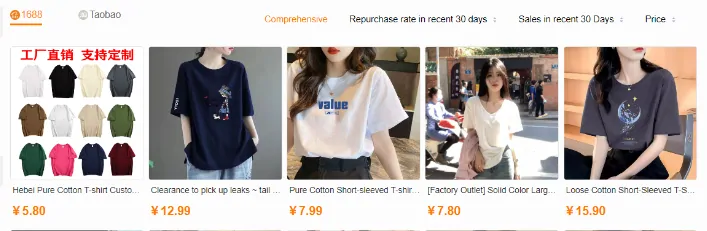
Sorting
Four sorts, four different questions
The sort names below are the operator wording. The rest is our reading of what each one is actually ranking, and what it quietly leaves out.
| Sort | The question it answers | What it hides |
|---|---|---|
| Comprehensive | What does the platform want to show a browsing shopper | The recipe is not published. It blends several signals and explains none of them, which is fine for browsing and useless for comparing. |
| Repurchase rate in recent 30 days | Who is buying this twice | It says nothing about volume. A tiny seller with a handful of loyal buyers can sit above a large one, which is sometimes exactly what you want. |
| Sales in recent 30 Days | What is moving right now | Popularity is not quality. It also favours cheap items, because cheap items sell in larger numbers. |
| Price | What is the floor for this search | The floor is usually a different object: a smaller size, a single accessory, a wholesale unit, or a listing that is not the thing you meant at all. |
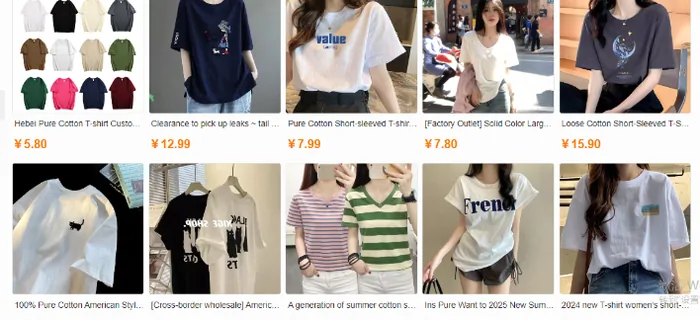
The whole results page, and where each control sits
Worth looking at as one picture before you get there. The filter column on the left is the part most people never touch, and it is the part that removes the listings you cannot actually buy.
Note that the listing titles in the results are machine translated while the prices carry the Chinese marketplace currency. That mixture is normal here, and it is a good reminder that the English you are reading was generated, not written.
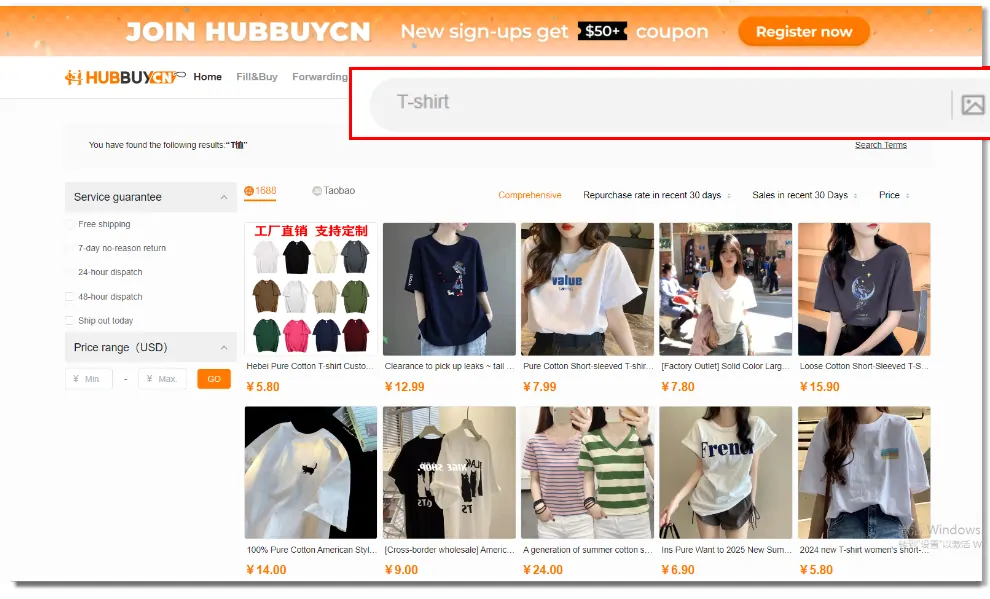
The service filters remove listings you cannot use
The column is headed Service guarantee, and the tutorial screenshot shows five entries: free shipping, seven day no reason return, twenty four hour dispatch, forty eight hour dispatch, and ship out today.
Two of them are worth more than they look. Free shipping means free inside China, to the agent warehouse, which is a real line in your first payment even though it has nothing to do with the international leg. The dispatch windows matter because the item cannot be inspected, stored or consolidated until it reaches the warehouse, so a slow seller delays everything downstream.
The return filter is the one to read carefully. A seven day no reason return is a promise made to a buyer inside China, and the buyer inside China is the agent, not you. Once a parcel has left the warehouse the practical answer is different, and the official returns and refunds page is where that is settled.
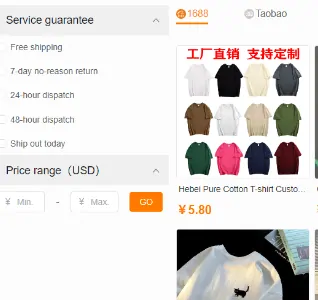
Signals
Which signals on a listing can carry weight
Everything on a results page is a claim by somebody who wants the sale. These three sit at different distances from the truth.
Numbers the seller had to commit to
Measurements in centimetres, fabric weight in grams, capacity in litres. A seller who prints a chest measurement has made a checkable statement, and a number survives machine translation intact. This is the single most useful thing on any Chinese listing.
Repurchase rate and recent sales
Both are real platform data rather than seller copy, which puts them ahead of the description. They still answer questions about the seller, not about your parcel. High sales on a very cheap item mostly tells you the item is cheap.
The photographs and the translated title
Product photographs on Chinese marketplaces are frequently supplier stock images used by many sellers at once. The title you are reading was produced by a machine from a Chinese one. Neither is evidence about the object in that particular warehouse.
The source strips split the page into two different markets
The tutorial shows results grouped by where they come from, with 1688 and Taobao as the two strips. They are not two views of the same catalogue. They are two different kinds of selling.
Taobao is retail. Single units, retail wording, and where most first orders come from. 1688 is wholesale, and the official tips say plainly that 1688 items have a minimum order quantity. A price on the 1688 side that looks too good usually is, because it is a per unit price on a lot of ten or fifty.

Filling in the price range without fooling yourself
The price boxes are labelled in USD in the tutorial screenshot while item prices in the results carry the Chinese marketplace currency. Four steps keep that honest.
Notice that the box disagrees with itself
In the tutorial screenshot the filter is headed Price range with USD in brackets, while the two input boxes are prefixed with the Chinese yuan symbol and the results underneath are priced in yuan as well. We cannot tell you which one wins because we cannot sign in and try it.
Type a number, then check the top of the results against what you meant. If the cheapest thing on screen is roughly seven times your ceiling, or roughly a seventh of it, you now know which currency the box was reading.
Decide the ceiling for the item alone
Item plus domestic shipping is the first payment. International freight is a separate payment later, calculated on weight and route, and it is the one that surprises people. Do not spend your whole budget in the first box.
Set the floor above zero
Leaving the minimum empty hands the top of your list to accessories, single parts and wholesale units. A floor at roughly a third of your ceiling clears most of that out.
Check which currency the page is showing
The public header carries a language and currency control, which read English and USD on our run. If your results are quoted in something else, your range is filtering a different scale than you think.
Leave room for the second payment
The official help pages describe total cost as goods plus international freight plus anything customs asks for, with goods cost meaning the item plus its domestic shipping. Two of those three are not in the box you are filling.
Where to go from here
Two directions, depending on whether the results page gave you too much or too little.
The search returned almost nothing
That usually means the wording, not the platform. Where a search quietly fails
You want to see what is normal first
Browse the catalogue by category and get a feel for prices before you commit. Categories, and what each does to a search
You have found it and want to order
Ordering happens on the newer platform now. Ordering after you find it