
The failures that do not look like failures
A search that returns nothing is easy. You change the words and try again. The expensive failures are the ones that return a full page of results, all of which look fine, and only turn into a problem after money has moved.
There are six of them on this platform and they have little in common except the timing. Two are rules the official tips warn about, two come from the translation layer sitting between you and the seller, one is the sign in wall, and one is a limit on the parcel rather than on the item. None of them produce an error message.
Everything below is either an official statement we have quoted, or something we reproduced ourselves on 4 August 2026. Where we could not check something, this page says so instead of guessing.
The six
What breaks, when you find out, and what to do instead
The middle column is the important one. The later the discovery sits, the more it costs to fix.
| What breaks | When you find out | What to do instead |
|---|---|---|
| The 1688 minimum order quantity | At checkout, or when the agent comes back to you | Read the seller minimum before the price convinces you. The official tips say plainly that 1688 items carry a minimum order quantity. |
| An international posting restriction | After the item is already in the warehouse | The official tips warn that some goods carry posting restrictions. Batteries, liquids, powders and anything pressurised are the usual ones. Check before you pay, not after. |
| The machine translated title | When the parcel is opened | Read the numbers rather than the words. Measurements, weights and capacities survive translation. Adjectives do not. |
| A supplier photograph used by many sellers | When the parcel is opened | Buyer photographs and the measurement table outrank the listing gallery. If neither exists, treat the listing as unverified. |
| The sign in wall | The moment you press enter | Decide the item, the wording and your ceiling first. Those are the parts an account does not help with anyway. |
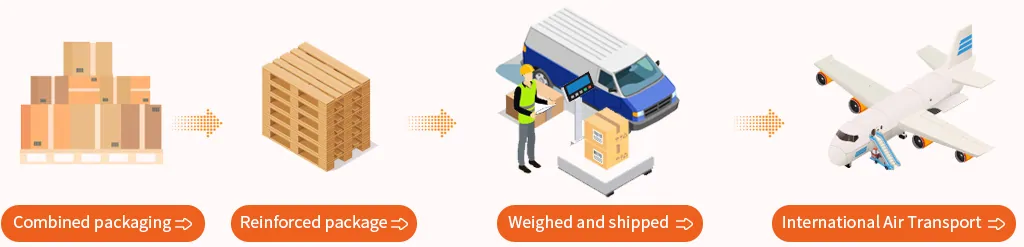
| The parcel weight bands | When you pay for international freight | The official pages describe a single parcel limit and note that heavier parcels are more likely to be treated as commercial. Read the shipping pages before you buy something heavy. |
The English you are reading was generated, the Chinese was written
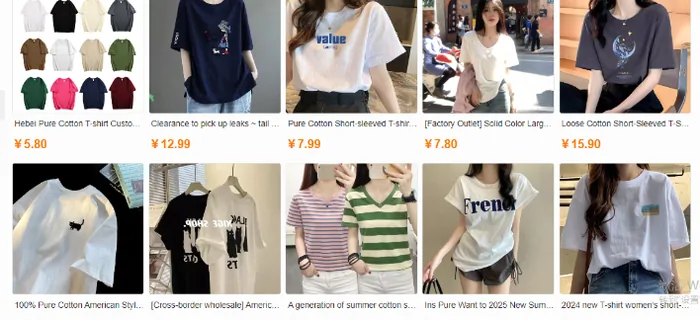
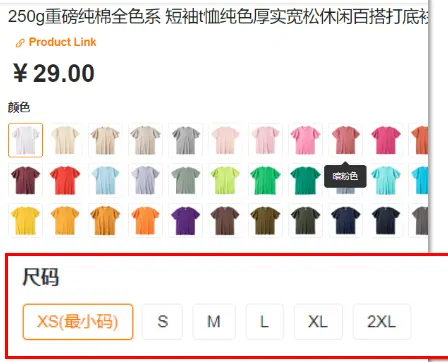
Results come back with titles translated into English while the item page itself keeps the Chinese original, with the colour and size choices in Chinese too. That is not sloppiness. It is two different systems: a translation layer for browsing, and the seller original for the actual purchase.
The practical consequence is that the English title is a summary produced by a machine from a text you cannot see. It drops qualifiers. A listing for a case can become a listing for the phone. A listing for one drawer unit can become a listing for the set. The Chinese title said which, and the translation did not.
So on the item page, work from the parts that are not language: the option thumbnails, the measurement table, the buyer photographs, the price against the category norm. When those disagree with the English title, the English title is the one that is wrong.
Three walls we hit ourselves, and what is behind each
We ran these on 4 August 2026 in a rendering browser, signed out. All three returned HTTP 200, which is exactly why a link checker cannot find them. Only rendering the page shows what is really there.
The results page
Typing works. Pressing enter sends you to the sign in screen with a redirect back attached. Reproduced twice, once pressing only enter with no button click. Sixty three characters of text came back, all of it the login form.
The freight calculator
The calculation page rendered as a sign in screen for us, around sixty six characters of text. We therefore cannot tell you what it asks for or what it returns, and we are not going to describe fields we have not seen. Anyone who does is describing a different platform.
The forwarding page
Two runs, two different results: once it rendered with the full forwarding explanation, once it redirected to sign in. Treat the public version as a preview that may not be there when you look.
Two doors
There are two ways into this platform, and they fail differently
The shopping guide describes both. One is the search route: you find the item inside the platform and it buys on your behalf. The other is forwarding: you buy on the Chinese marketplace yourself, using the agent warehouse as the delivery address, then declare the incoming parcel on the platform.
The search route fails on wording and on the sign in. The forwarding route skips both of those, and fails instead on the declaration and on what the warehouse does with a parcel it cannot match to an account. If one route is blocking you, the other one may not be.

When a search returns nothing useful, in order
Work down this list. Most searches come back on the second step, and the ones that do not are usually telling you something real about the item.
Strip the wording back to the category noun
Remove the brand, the era, the colourway nickname and the style label. Search for the object. If a plain noun returns thousands of results, the wording was the problem and you can now narrow with filters instead of adjectives.
Check the catalogue before you try again
If somebody has already found this item, the link exists and no search is needed. That is the entire point of the HubbuyCN Spreadsheet, and it is faster than any wording trick.
Ask whether the item is restricted rather than missing
Some things genuinely cannot fly. If your searches for a power bank, a perfume or an aerosol keep coming up short, the answer may be the posting rules rather than your words. The official tips flag this category of problem.
Switch route rather than switching words
If you can buy on the marketplace yourself, the forwarding route puts the item in the warehouse without the platform search ever being involved. The warehouse address sits behind the account, on the forwarding page.
Worth another search, or time to stop
A rough rule after you have tried the four steps above.
Worth trying again
- The plain category noun returned plenty, you just need to narrow it
- You found the item but on the wholesale side, so a retail seller probably exists
- The listing exists but your variant is out of stock, since sellers restock
- Your only problem is that the title reads oddly, which is normal here
Time to stop and reconsider
- Every result is the same supplier photograph at wildly different prices
- The item is in a category the posting rules restrict
- The only listings are wholesale lots and you want one unit
- You cannot describe the object without naming a brand nickname
The official pages that decide these rules
We quote these rather than paraphrase them, because they are the ones that settle arguments.
Shopping guide and tips
Where the minimum order quantity warning and the posting restriction warning are printed.
Read the tipsHubbuyCN officialInspection rules
What the free check covers, which is appearance. Sealed goods stay sealed and electronics are not function tested.
Read the inspection rulesHubbuyCN officialCustoms and taxes reference
The operator page states that its figures are collected from the internet, are for reference only and cannot be treated as a standard guide. We repeat that with it.
Read the customs page